 Join The Club





If you're the type to want to show off your components to the world, one of the best fish tank PC cases is a great way to do it. Due to the sudden popularity of this sort of case design, I'm going to presume this includes most PC gamers—we're vain creatures, after all.
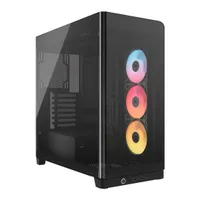
I've tested heaps of PC cases over the past 12 months and beyond in order to narrow down the selection below to just a handful of high-quality cases. The top spot going to the Havn HS 420, a wonderfully well made chassis with plenty of room for cooling and components. Though if you prefer to go for a cheaper option, while fish tank cases do come with a premium, the Lian Li O11 Vision Compact is an affordable alternative.
The quick list

Best fish tank
The Havn HS 420 is a stellar pick for any PC build. It looks great, has tons of room for components and cooling, and it's very well thought out for easy building.

The best budget
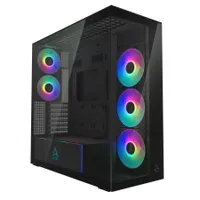
This Lian Li case could win a few categories here. It's affordable, extremely stylish, and keeps plenty of air flowing over key components. That said, the price really is the standout here.

The best looking
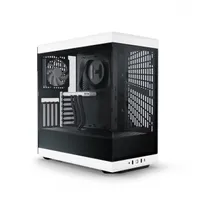
You're reading this because you care about how your PC looks, and no other case gives off 'I'm trying really hard to do something here' better than the Evolv X2 by Phanteks.
⬇️ Click to load more of the best fish tank PC cases ⬇️

The best airflow
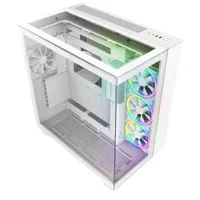
The NZXT H9 Flow RGB+ comes with a ton of fans pre-installed to make life easier for your next build. It also offers a slightly angled side mounting position for more direct airflow. Oh, and it looks excellent, too.

Jacob knows his stuff when it comes to PC cases. He builds a new PC, or three, every month, in order to give the latest PC cases a run for their money. This includes testing airflow and noise levels to ensure he comes to a fair assessment. If you're in the market for a new PC case, you know who to turn to.
We have independently tested 18 PC cases through 2025 and into 2026.


"Outstanding looks and exceptional cooling deliver hard on this one. The H9 Flow RGB+ is exemplary."—Zak Storey
Read our full NZXT H9 Flow RGB+ review.
The best fish tank case for airflow is NZXT's H9 Flow RGB+. Why? It comes with a lot of fans and, importantly, it actually makes an effort to keep that air flowing over your components, unlike some fish tank cases.
Fish tank cases are not known for their amazing airflow. Simple by way of removing the front fan mounts to replace with another piece of glass (you vapid gamer, you), there's often nowhere better to place a few fans. The NZXT tries to circumvent this in two ways: 1) it has the side mounted fans tilted slightly to the front for more direct airflow over your components, and 2) it has bottom-mounted fans for an almost chimney-style approach.
The good news is, you don't need to fill all these fan positions yourself. In the box, NZXT includes two F420 RGB Core fan(s), which are preinstalled into the side and bottom posititions. And in the rear, a single F120 RGB Core as an exhaust. Oh, and those F420 fans are really three 140 mm fans in one, for a total of (kinda) seven included as standard.
So, there's plenty of airflow to be had here, and room for more fans (up to 10) if you want to go the extra mile. What's more, the case looks great and offers plenty of mod cons, like support for Back-Connect motherboards. Only downside is the price: this one is expensive, especially for all the fans in the box.
Also tested
How we test
We independently review a number of PC cases each year to decide which get our recommendation. To put it plainly, if we haven't tested it ourselves, it won't be on this page. We test each and every case to make an informed decision, and only the best cases from this process make it into this guide.
The test process is pretty straightforward for PC cases: we build a PC in every case. There's no better way to get an idea of whether a case is good or bad to build a PC into than simply doing it yourself. We run benchmarks on the components used in the machine to check that temperatures are under control, too.
We often also use an anemometer to measure airflow and a sound meter to measure, uh, sound. These help to show if a case is well designed or a bit of a mess. We also tend to build and teardown PCs frequently, which helps expose any creaks, groans, or grievances with a specific design.
FAQ
What size case do I need?
There's the obvious answer: what do you want to look at on or under your desk for the next few years and beyond? Whether your PC goes on top of your desk is also a big factor in deciding case size. However, there's some more technical gubbins to be aware of here.
First is motherboard support. There are a range of sizes of motherboard, but they're standardized. That means if a case says it supports a size, you shouldn't really run into any issues. The sizes, from largest to smallest, are:
E-ATX / ATX / M-ATX / Mini-ITX
The good news is that most PC cases that support, say, an ATX motherboard, also support the smaller motherboard sizes too. So M-ATX and Mini-ITX should fit just fine.
One other thing to consider with motherboards is whether you plan to use a new technology often called Back-Connect, or BTF. These motherboards, made by MSI and Asus, stick the connectors on the rear of the motherboard for a neater look. It's a good effect, too, though you will need a case that explicitly supports this sort of set-up.
The other things to consider when sizing up your PC case are PSU size, GPU size, and cooler size.
When it comes to PSU size, most are built to the ATX standard and most cases fit these. However, there are the SFX and SFX-L standards for smaller, usually Mini-ITX builds. You can usually check whether a case supports a certain length of PSU in the product specifications. Generally, it's a non-issue.
GPU size is a simple check: just measure your GPU and check whether your case can fit that. Again, a case's product page will usually cover this. Some cases are more limited than others in this regard, so it's definitely worth checking with today's huge graphics cards.
Cooler size matters whether you're buying either a liquid or air cooler. For a liquid cooler, you need to check whether there's room to mount a radiator of your chosen size inside the case. Ie. a mounting point for a 360 mm radiator close enough to the CPU for the cooler's tubing to reach. For an air cooler, you need to make sure your case supports the height requirements of the cooler. You don't want to install everything only to find your tempered glass side panel hits the top of your CPU cooler.
The good news is, most ATX compatible cases are made with making this all pretty straightforward. They leave more room than most will need, so providing you're not going over the top, you're likely going to be just fine.