 Join The Club





For us PC gamers, the most important part of a gaming notebook is its GPU. Knowing what the best graphics card for laptops is could be the key that stops you from either spending too much on a machine that fails to perform or buying a gaming laptop without the necessary grunt to deliver the frame rates you crave.
The best graphics card for laptops is currently the RTX 5080, a remarkably powerful mobile GPU available in a range of power configurations in some of the best gaming laptops money can buy. The best budget mobile GPU is the RTX 5060, a surprisingly punchy performer, especially combined with Nvidia's Multi Frame Generation tech.
But just being confident about the specific graphics chip you're after isn't quite enough—you need to know how much power the manufacturers are letting that GPU chow down on, commonly referred to as the TGP. Laptop manufacturers have a habit of tucking this away in the specs sheet, but we make sure to highlight it in all our gaming laptop reviews to make sure you know exactly what you're buying. Choose wisely, and you really can pick up a remarkably powerful mobile gaming machine.

In his two decades as a technology journalist and PC gaming tech aficionado, Dave has reviewed, tested, and broken more laptops than any normal human should. He has been formulating benchmarking criteria and testing methodology since he was struggling to form even a facsimile of a beard, and has put pretty much every generation of graphics chip—in both desktop and mobile form—through their paces. He's personally run systems with all the chips recommended in this guide, and is speaking from a whole lot of experience.
Updated September 03, 2025 to give this guide a thorough going over and crown the new Nvidia RTX 50-series GPUs in their respective categories. The RTX 5080 has taken the top spot overall, with the RTX 5060 coming in as best budget, the RTX 5070 as best mid-range, and the RTX 5090 as the best high end. It's all green up in this guide, with new charts and copy to show (and tell) you exactly which GPU you should be aiming for in your next laptop purchase.
Updated February 27, 2025 to note the upcoming launch of RTX 50 series laptops. As they aren't here yet and we haven't tested them, they won't yet be included but they could be very soon.
The quick list

Best overall
The RTX 5080 mobile is a seriously capable graphics chip, available in a wide range of laptops, often in some very high-powered configurations. You'll only find it in some of the pricier machines, mind, but it's got the sort of firepower that's had us all kinds of impressed.

Best budget
The RTX 5060 might not be the gruntiest of Nvidia's current stable, but it's available in some very affordable machines and capable of great 1080p and 1440p performance, particularly when you take advantage of DLSS 4 and Multi Frame Generation.

Best mid-range
The RTX 5070 isn't exactly a quantum leap ahead of the mobile RTX 4070 of old, but it's still where you want to be if you're looking for the pricing sweet spot. It too benefits from a spot of MFG, but it's a very capable performer in some brilliant mid-range machines.

Best high-end
The RTX 5090 is a whole lot of GPU to cram into a mobile frame, and as a result you'll only find it in the priciest of gaming laptops. It's an expensive option, and the RTX 5080 is still more suited to a mobile form factor—but if you must have the very fastest, here it potentially is. In the right config, that is.

Best integrated graphics
The gaming performance of Strix Point APUs with their RDNA 3.5 iGPU is pretty damned impressive. We were already into the 780M and its 1080p gaming chops, but the 890M of the Ryzen AI 9 HX APUs is another level beyond that.


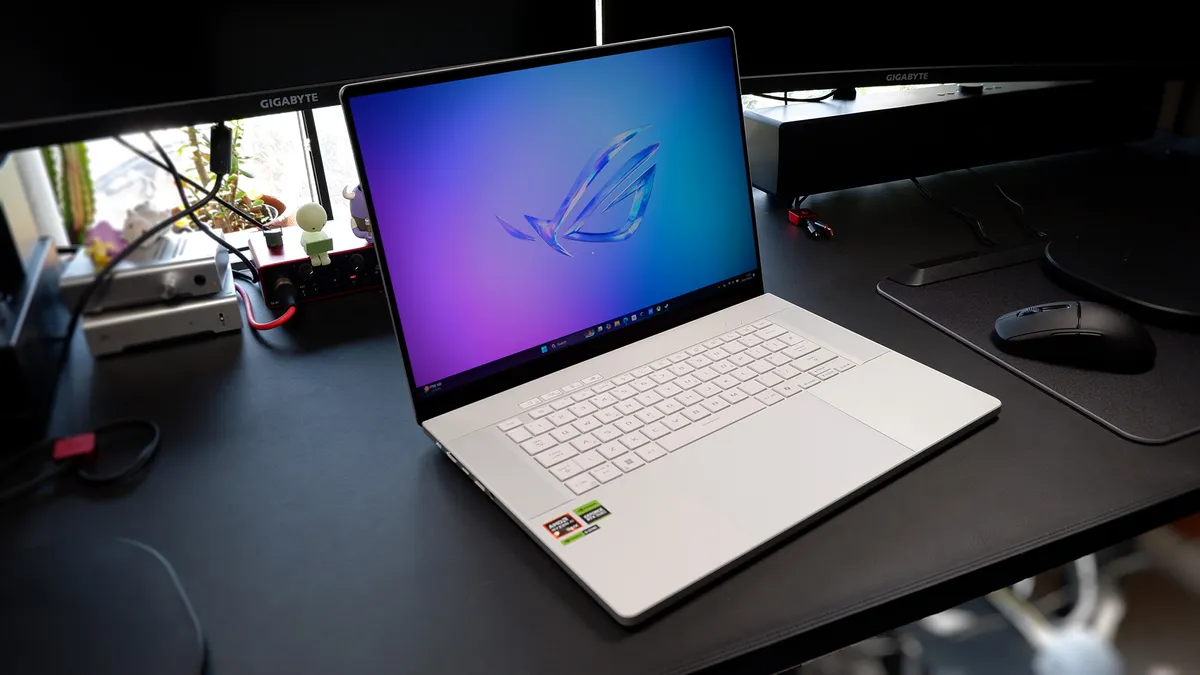
✅ You want an office laptop that can also game: The Radeon 890M iGPU is incredibly capable and makes any Ryzen 9 AI HX 300-series laptop almost a proper gaming device.
✅ You want to take your gaming laptop out on the road: Parking the discrete GPU of a gaming laptop and switching to the integrated 890M instead will massively improve your gaming battery life and still deliver a great gaming experience.
❌ All you want is the highest quality and frame rate: Integrated GPUs are still a fair way behind their discrete brethren, and you will still get higher performance with even something like a low-end RTX 4050. Though you will pay for it in terms of power draw.
💻 When it comes to integrated graphics, there's nothing yet that can compare with the AMD Radeon 890M iGPU for its price point and variety. Intel's Lunar Lake chips are certainly impressive and Strix Halo is mighty, if very costly, but for now, the genuine 1080p gaming performance of the RDNA 3.5 chip will give you playable frame rates from thin and light laptops.
Finally, there's an AMD GPU in the list. Sorry, AMD fans, when it comes to graphics cards for laptops, there is such a heavy weighting towards Nvidia's discrete mobile GPUs that Radeon chips barely get a look-in. That's shared at the manufacturer level where you will find precious few AMD graphics cards being used in laptops you can actually buy.
The counter to that is with regard to integrated graphics. If you want a mobile machine without a dedicated graphics card, but still with actually decent gaming performance, then right now you either buy a device with an AMD APU inside it or you go with Intel's Lunar Lake, which has had a bit of a splash with the MSI Claw 8 AI+ but hasn't quite won out over the laptop market.
It's a pretty big upgrade from the Radeon 780M, which you'll find in all the latest handhelds, offering 16 RDNA 3.5 compute units (CUs) compared with the previous top chip's 12 CUs, or the eight CUs you'll find in the Steam Deck OLED's Sephiroth APU. In terms of shader count, that's a 33% uplift on the previous gen.
The main takeaway here, though, is that with AMD's latest iGPUs, you're getting genuine 1080p gaming performance, even if you do have to be a little more studious about how you manage your graphics settings. High settings can still be achieved, but medium and low settings are more likely to give you a better experience. AMD's Fluid Motion Frames 2 feature (AFMF2) is functioning on the new mobile chips, and that gives you universal frame generation on any DX11 or DX12 game, and that can deliver great performance gains for integrated graphics.
The benefits of AMD's iGPUs are obvious for standard office-style laptops—you can do some light gaming on your down time or while travelling—but it's also a boon for gaming laptops, too. They have traditionally poor gaming battery life, meaning that truly mobile gaming is often not doable on them for more than 60 minutes at best. Switch over to your iGPU, however, and you can carry on playing away from the plug socket for a hell of a lot longer when your dedicated GPU is lying dormant and not sucking up all the juice.
Where to buy
US
18WENKU's got your back Our experienced team dedicates many hours to every review, to really get to the heart of what matters most to you. Find out more about how we evaluate games and hardware.
- Amazon: Regular deals on gaming laptops featuring every GPU on this page
- Best Buy: Some of the biggest discounts on gaming laptops from all the major brands
- Asus: Deals on Asus gaming laptops of all types @ Newegg
- MSI: Some of the cheapest MSI deals @ Best Buy
- Gigabyte: Discounts on some of our favorite budget laptops @ Best Buy
- Lenovo: Regular discounts on high-spec RTX 5080 and RTX 5090 machines @ B&H Photo
- Walmart: HP gaming laptops and much more
- Target: Manufacturer refurbs from Acer for low prices
- Razer: Regular savings on RTX 40-series Blades
- Newegg: Gaming laptops from all the major brands, often with major price reductions
- Dell: A large range of Alienware and regular Dell gaming laptops, often on discount
UK
- Amazon: Gaming laptops from all the major brands, often on discount
- Laptops Direct: RTX 5060 to RTX 5090 machines with regular price drops
- Overclockers: A wide selection of gaming machines
- Razer UK: Regular discounts on RTX 50-series Blade laptops
- Scan: Asus gaming laptops and many more
- PC Specialist: Configurable RTX 50-series laptops
- Cyberpower: MSI and Asus laptops galore
- Currys: Surprisingly good prices on laptops from many of the major brands
FAQ
Can I put any graphics card in my laptop?
Generally speaking, not really. The Framework 16 and Framework 13 come with modular GPUs you can remove at will, but they're the exception to the rule. In general, if you buy a gaming laptop, expect the GPU to be firmly soldered to the board.
Do I need a dedicated graphics card in my laptop?
If you want the absolute best gaming performance out of your laptop, then, yes, you do need a dedicated GPU in your notebook. BUT we are getting to the point where AMD's integrated graphics cards, such as the Radeon 890M, are delivering genuine 1080p gaming performance without a dedicated GPU. Intel's Lunar Lake chips are also pretty punchy when it comes to iGPU performance, too.
Should I worry about what the CPU in a gaming laptop is?
That really depends on what you want to do with your laptop. An 8-core, 16-thread AMD Ryzen chip will allow you to do a whole load of productivity on the road, but honestly, it will have little benefit in gaming. As long as the CPU has at least six cores and 12 threads (and it's clocked high enough), it will likely be more than enough to deliver excellent gaming performance when paired with something like the RTX 5070.
What screen size is best for a gaming laptop?
This will arguably have the most immediate impact on your choice of the build. Picking the size of your screen basically dictates the size of your laptop. A 14-inch machine will be a thin-and-light ultrabook, while an 18-inch panel should be treated as a desktop replacement in most cases. At 15-16 inches, you're looking at the most common size of gaming laptop screens.
Are high refresh rate panels worth it for laptops?
We love high refresh rate screens here, and while you cannot guarantee your RTX 5060 will deliver 240 fps in the latest games, you'll still see a benefit in the general look and feel of running a 240 Hz display for day-to-day usage.
Should I get a 4K screen in my laptop?
Probably not. 4K gaming laptops are still generally regarded as overkill; they're fine for video editing if you're dealing with 4K content, but it's not the optimal choice for games in a mobile machine. The standard 1080p resolution means that the generally slower mobile GPUs are all but guaranteed high frame rates, while 1440p to 1600p panels are now very common—but you'll need a mobile RTX 5070 or higher to push that screen at native res.
A 1440p screen offers the perfect compromise between high resolution and decent gaming performance. At the same time, a 4K notebook will likely overstress your GPU and tax your eyeballs as you squint at your 16-inch display.